
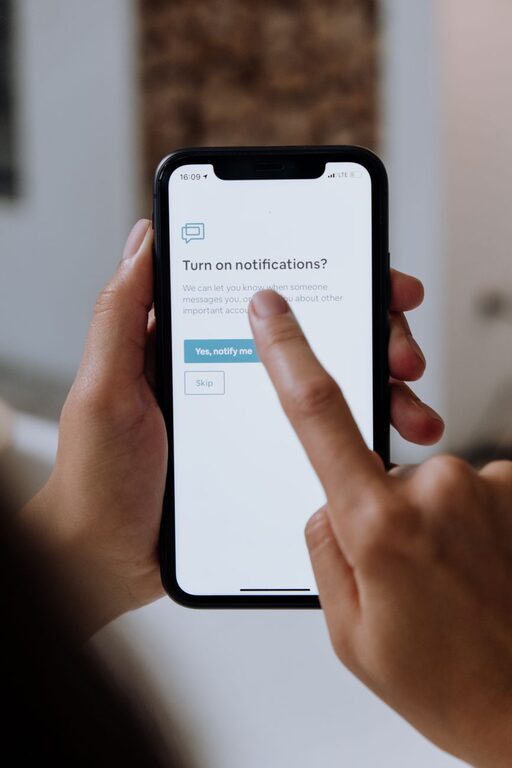
In today’s technology-driven world, notifications are everywhere—from smartphones and computers to smartwatches and apps. While they can keep us informed and connected, constant alerts can become overwhelming and disruptive. Learning to set healthy boundaries with notifications is essential for maintaining focus, reducing stress, and improving overall wellbeing.
In this post, we’ll explore practical tips to help you regain control over your notifications and create a more balanced digital life.
Why Setting Boundaries with Notifications Matters
Notifications can interrupt tasks, fragment your attention, and even disturb your relaxation or sleep. Without limits, they may lead to:
– Increased stress and anxiety
– Decreased productivity
– Poor sleep quality
– Difficulty focusing on important work or conversations
Setting clear boundaries helps you stay in charge of your time and attention, ensuring technology works for you rather than against you.
Tips for Managing Notifications Effectively
1. Audit Your Notifications
Start by reviewing all the apps and devices that send you notifications. Identify:
– Which alerts are essential (e.g., work emails, calendar reminders)
– Which ones are optional or distracting (e.g., social media, promotional messages)
Removing or turning off non-essential notifications can significantly reduce interruptions.
2. Customize Notification Settings
Most devices and apps let you tailor notification preferences. Consider:
– Turning off sounds or vibration for certain apps
– Switching from push notifications to manual checks
– Using “Do Not Disturb” or focus modes during work or rest periods
Experiment with settings to find what best supports your routines.
3. Schedule Notification-Free Times
Designate specific periods during your day when you don’t want to be disturbed by alerts. For example:
– During focused work sessions
– While spending time with family or friends
– Before bedtime and after waking up
Use built-in focus or do-not-disturb features to enforce these boundaries.
4. Use Notification Summaries or Batching
Some platforms offer a summary feature that groups non-urgent notifications to be delivered at set times. This helps avoid constant interruptions and allows you to review alerts in batches, improving concentration.
5. Limit Notifications from Social Media
Social media apps are notorious for frequent and attention-grabbing notifications. To avoid distraction:
– Disable notifications for likes, comments, or follows
– Only keep alerts for direct messages or important conversations if needed
This can help reduce the urge to check apps constantly.
6. Put Devices Away When Possible
Physically distancing yourself from devices can minimize distraction. Try:
– Leaving your phone in another room during work or relaxation
– Using airplane mode during important tasks or meetings
This break from constant alerts can support better focus.
7. Communicate Your Boundaries
If you work with teams or collaborate often, let others know when you will be available and when you won’t be checking notifications. Establishing expectations helps reduce pressure to respond immediately.
8. Reflect and Adjust Regularly
As your routines and priorities change, revisit your notification settings. Regularly assess what’s working and what isn’t to ensure your boundaries stay effective.
Tools and Features to Help You Manage Notifications
– Focus Modes (iOS, Android): Temporarily silence notifications except for allowed contacts or apps.
– Notification Summaries (iOS): Deliver non-urgent notifications at convenient times.
– Do Not Disturb (Windows, macOS, smartphones): Block all notifications temporarily.
– App-specific Settings: Most apps let you adjust notifications individually.
– Third-party Apps: Some tools specialize in managing or blocking notifications, helping enforce boundaries.
Conclusion
Notifications can be useful, but constant alerts can interfere with your focus and peace of mind. By auditing your notifications, customizing settings, scheduling quiet times, and communicating your preferences, you can take control and create a healthier relationship with your devices.
Practice these tips to reduce distractions, improve productivity, and enjoy more quality time throughout your day. Remember, technology should serve you—not the other way around.